The workout of the day in every athlete's pocket, scores and leaderboards that outlive the whiteboard, and class booking with capacity and a waitlist — in apps under your box's own name.
From $79/mo, published
No contract
No setup fee
No hardware needed
manageyourgym.com/dashboard
See it in action
Sound familiar
Four things that go wrongwhen the box grows
01
Scores get wiped with the whiteboard
Fran times and back-squat numbers go up in marker and come down with the eraser. An athlete can't tell whether they beat last year's Fran, and a coach can't see who stalled on their squat for two months.
02
How many athletes fit on the floor?
Class capacity lives on a physical whiteboard and a coach's memory. A class fills past what the floor can hold, and nobody finds out until athletes are stacked three deep on a rig built for two.
03
On-ramp gets lost in the regular schedule
A brand-new athlete books straight into a class they're not ready for because there's no separate system tracking who's still on-ramp and who's cleared for the regular board.
04
A quiet athlete is easy to miss
A regular stops showing up to the 6am class and nobody flags it for three weeks — there's no roster comparing this week's attendance to last month's, just a coach who eventually notices a familiar face has been gone a while.
How it runs on ManageYourGym
Run the class, fill the box,keep members renewing
Everything below is on every plan. Each card says which surface it lives on — the owner dashboard, the coach app or the member app.
The workout of the day, in every athlete's app
A coach writes the WOD from the coach app or the dashboard: warm-up, strength and metcon, with RX and Scaled versions spelled out. Fran, Murph and 38 more benchmarks are one tap away, and athletes see tomorrow's workout only from the evening before, at a time you set.
Coach app · Member app · Owner dashboard
Scores, leaderboards and personal records
Athletes log their time, rounds or load, RX or Scaled, and see where they rank against every session of that class that day. Fist bumps and comments keep the box cheering after class, and a new PR is spotted automatically — in kilos or pounds, your choice.
Member app · Coach app
A class schedule with capacity and a waitlist
Every class gets a headcount you set. Once it's full, the next athlete joins a waitlist and moves into the class automatically the moment a spot opens.
A monthly or yearly membership, a fixed-length on-ramp program for a new athlete before they join the regular class schedule, and a drop-in for a visiting athlete — sold and tracked the same way.
A strength cycle or a skill progression assigned by the coach, followed by the athlete in the app, with the coach seeing what got done.
Coach app · Member app
Attendance and live occupancy
Check-ins at the door by QR code, or a finger or face on your eSSL or ZKTeco device, and a live count of who's in the box right now, visible on the dashboard without walking the floor.
Owner dashboard
Enquiry to trial class to member
Leads tracked with a source, a trial class booked, then converted to a member with a membership sold and paid through Stripe, Razorpay or Nomod.
Owner dashboard
AI built in
An assistant that does the work, after you say yes
Ask in plain English and it answers from your own data. Ask it to change something and it lines the change up for you to confirm. It is built into your dashboard and connects to Claude and ChatGPT, and each person reaches only what their role allows.
Write a six-week strength cycle for the competition squad, three days a week, built on back squat and deadlift.
Here's the programme to save:
Create Strength Cycle
Length
6 weeks · 3 days a week
Focus
Back squat, deadlift
Day 1
Back squat 5×5, accessory work
Before you book five demos
The four questions most vendors dodge
Question
ManageYourGym
What you’ll often hear
Is the price published?
$79, $169 or $349 a month, on this page.
Often:“Get a quote” — the number comes after the demo.
Am I locked in?
No. Monthly or yearly, cancel anytime.
Often:12-month terms that auto-renew.
Is the member app extra?
No. Under your name, on every plan.
Often:A paid add-on or a higher tier — one vendor lists it at $99 a month extra.
Do I need hardware?
No. QR on a phone or a tablet at the entrance.
Often:Turnstiles or scanners bought separately.
Read from competitor pricing pages and reviews, September 2026.
Your brand, in their pocket
Your name on the App Store,not ours
Your athletes and your coaches open an app published under your box's own name and icon, in your colours, on the Play Store and the App Store. Same data as your dashboard. None of our branding.
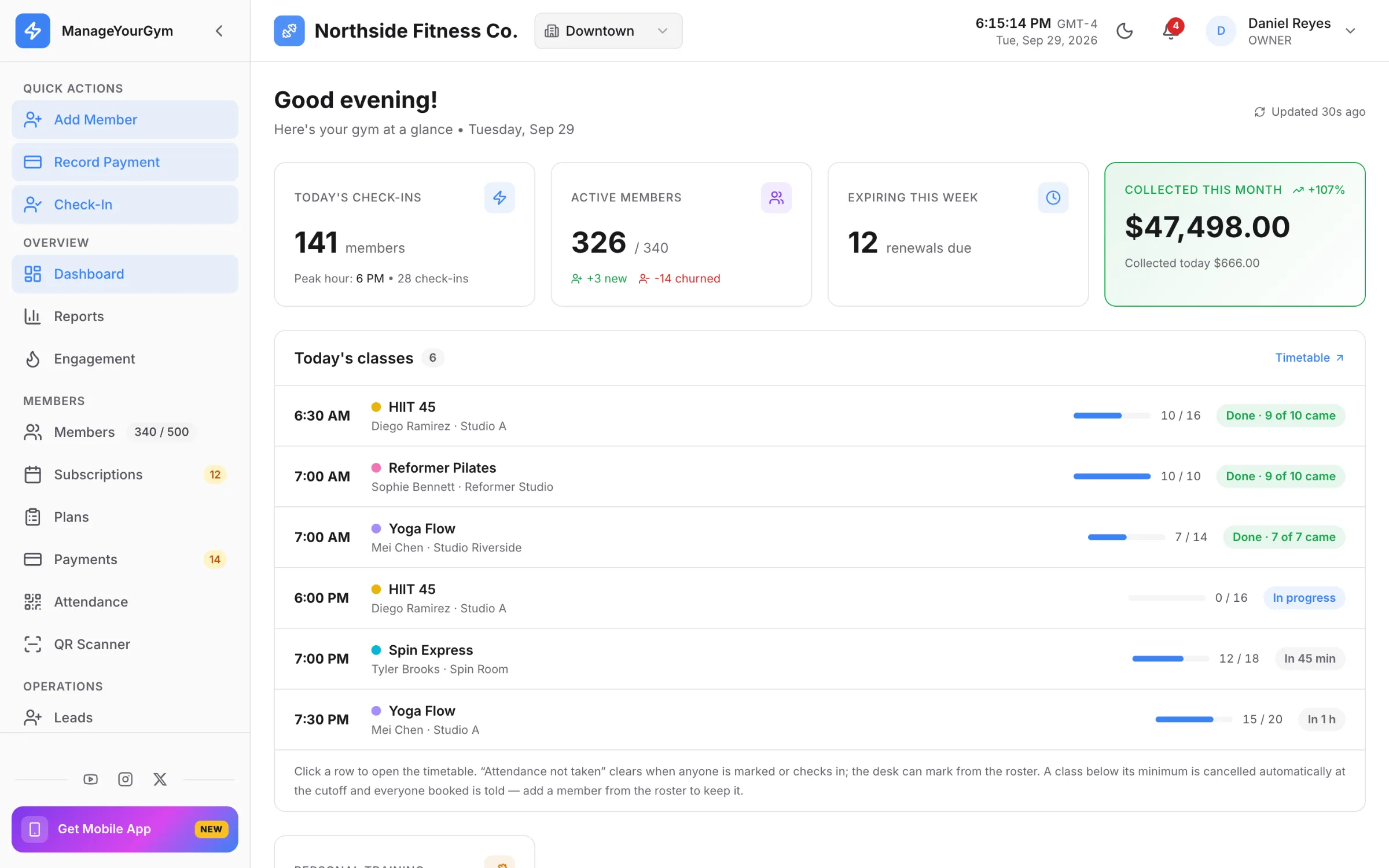
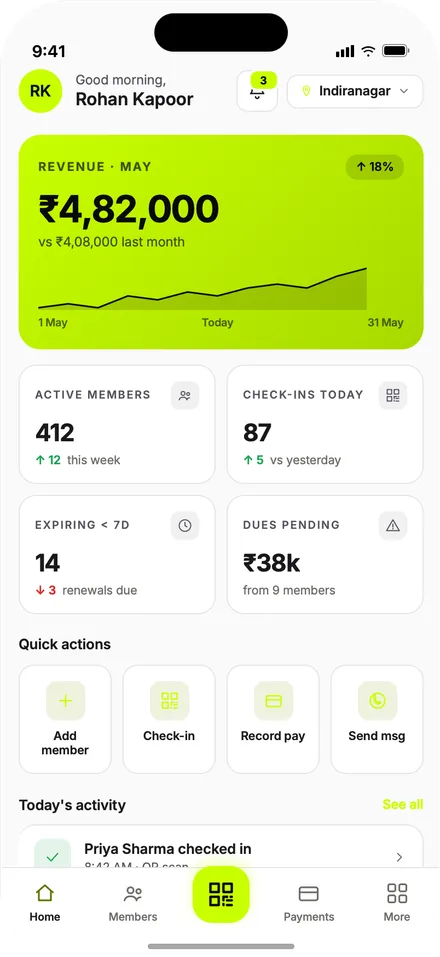
The box between classes: today's schedule, who's checked in right now, memberships due, revenue this month.
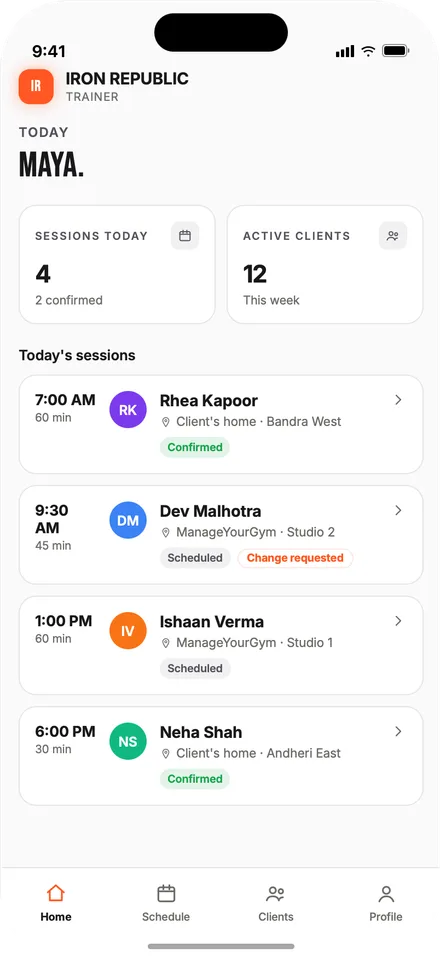
Every coach's day on one calendar
Sell a membership or an on-ramp program, take a payment
Live occupancy and class capacity at a glance
For your athletes
Member app
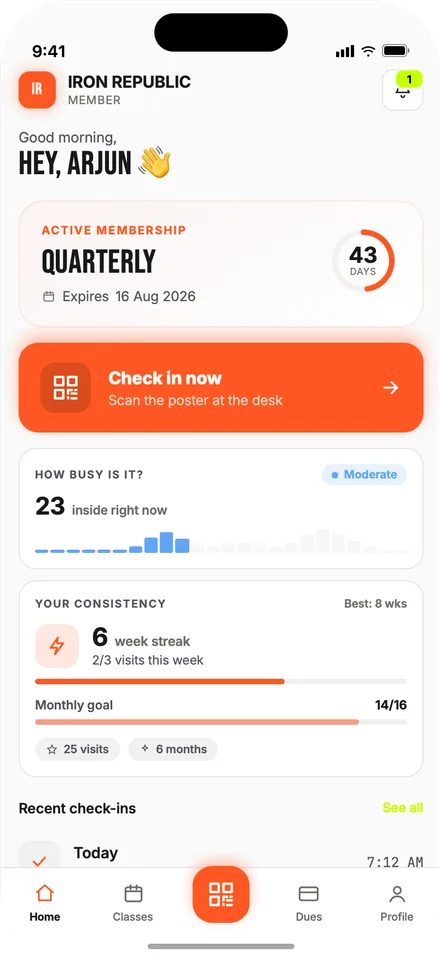
See today's WOD, log a score, check the leaderboard and book the next class — all under your box's own name.
Today's workout, score logging and the class leaderboard
Personal records and benchmark history, with a percentage calculator for lifts
Book into any class with a spot left, and pay for the membership in the app
Your logo, your colours, your store listing
For your coaches
Coach app
The coach's own day: write the workout of the day, check the leaderboard after class, log a score for an athlete who forgot, and look up an athlete's records before they load the bar.
Write and edit the WOD, with benchmarks built in
Leaderboards, scores and comments, with any mistake fixable
Each athlete's lift records and benchmark history
Same brand as the member app
Built for the class-first box
Software built aroundthe class schedule, not open gym
A CrossFit box runs on classes with a coach and a capacity, not a member who wanders in whenever. ManageYourGym enforces class capacity and live occupancy at the booking and check-in step, and treats an on-ramp program as its own product, not a workaround inside a regular membership.
The workout of the day, scores, leaderboards and PRs in the apps, not wiped off a whiteboard
Class capacity, waitlists and live occupancy enforced automatically, not tallied by a coach on a whiteboard
A member and coach app carrying your box's own name and colours
Pricing
One price,every feature
Pick the tier that fits your roster. The branded apps are included on every tier and set up with you during onboarding. Every feature on this page is on every tier — nothing is an add-on.
White-label store listings under your own developer account
Dedicated onboarding
Phone support
FAQ
What box owners askon the demo
What happens when a class hits its cap?
Once a class hits the cap you set for the room, it stops taking bookings and the next athlete to try joins a waitlist — no more athletes stacked three deep on a rig built for two. An athlete moves off the waitlist and into the class automatically the moment a spot opens.
Are Fran, Murph and the other benchmarks built in?
Yes. The Girls and the best-known Hero WODs come ready to program, 40 in all, and you can add your own box benchmarks. Every time a benchmark comes up, an athlete's score joins their history for it, so they can see their Fran times over the years and whichever coach programmed it.
Can my athletes log weights in pounds?
Yes. Pick kilos or pounds for your box once in settings, and every app shows and takes weights in that unit — WOD scores, lift records, body weight and coaching logs alike. Height and body measurements follow the same setting.
Does the box's name show up on the app, not yours?
Yes. The member and coach apps publish on the Play Store and the App Store under your box's own name and icon, in your colours. An athlete searching for your box by name finds you, not us.
How does on-ramp work for a new athlete?
An on-ramp program is sold and tracked as its own fixed-length plan, separate from the regular class membership, and reported on its own — so a coach can see exactly who's currently on it.
How are personal records tracked?
Automatically. A new best on a benchmark or a lift is flagged the moment the score is saved, with RX and Scaled kept apart. Lift records cover WOD scores and one-to-one coaching logs together, so an athlete never sees two different best back squats. Fix a typo and the records recalculate.
Get started
See it with your ownclass schedule
Walk us through your box on a 20-minute demo, or start the trial and ping us on WhatsApp with any questions.